How to Download Pinterest Videos Easily
How to Download Pinterest Videos Easily
Imagine scrolling through Pinterest, and you stumble upon an incredible video tutorial that you just have to save. You click on it, and then you’re hit with the realization: how do I keep this? Maybe you want to refer back to it later, or perhaps you need it for a project. This is where knowing how to download Pinterest videos can be a game changer.
Let’s face it, sometimes we want to save content for offline viewing, whether it’s for inspiration, research, or just for fun. But the process of downloading videos from Pinterest isn’t straightforward. Fortunately, I’ve got a solution that has become my go-to tool: PintSaver.
Why Downloading Pinterest Videos Matters
Downloading videos from Pinterest can serve various purposes. If you’re a creator, being able to access high-quality videos offline can spark new ideas for your own content. Marketers can also benefit from this by saving videos that resonate with their target audience, allowing for deeper analysis and inspiration for future campaigns. And for bloggers, having those videos at hand can make for richer, more engaging posts.
But let’s be real—Pinterest doesn’t make it easy. You can’t just right-click and download. This is where PintSaver shines. It offers a simple and effective way to grab those videos without the hassle.
Using PintSaver to Download Videos
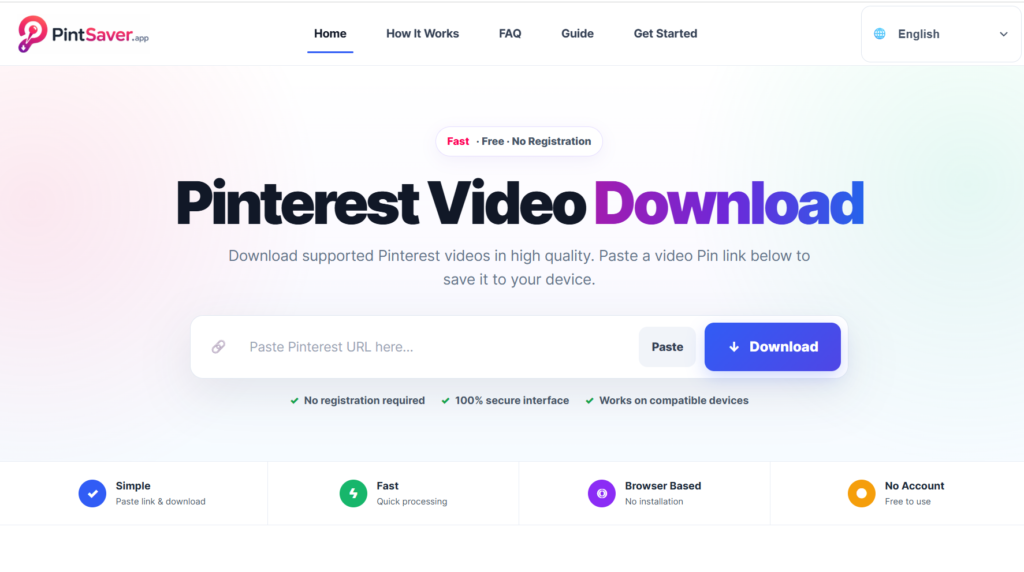
Here’s how you can easily download Pinterest videos using PintSaver:
- Step 1: First, head over to the Pinterest video you want to download.
- Step 2: Copy the URL from the address bar of your browser.
- Step 3: Next, go to www.pintsaver.app and locate the designated box for URL input.
- Step 4: Paste the copied URL into the designated box.
- Step 5: Hit the download button, and voilà! Your video will be saved to your device in HD quality.
It’s that straightforward. No registration, no software installation, and absolutely no watermarks. I love that it saves me so much time and effort.
Organizing Your Downloaded Content
Once you’ve downloaded videos, the next step is organization. I find it helpful to have a system in place so I can easily find what I need later. You might want to create folders by category—like DIY projects, marketing tips, or recipes. This way, when inspiration strikes, you know exactly where to look.
Using a tool like SavePin can also help you organize your content directly from Pinterest, making the whole process smoother. It’s an excellent way to keep your downloads neat and tidy.
A Common Gotcha When Downloading Videos
Many people overlook the importance of checking the video quality. Sometimes, a video might look great on Pinterest but download in a lower resolution. Always double-check the settings on PintSaver to make sure you’re getting the best quality available. And hey, if a particular video doesn’t have a high-quality option, it’s best to skip it to maintain the standard you want for your projects.
Frequently Asked Questions
Can I download videos from private Pinterest boards?
Unfortunately, if the video is hosted on a private board, you won’t be able to download it. You’ll need access to the board in order to see and save any content.
Is there a limit to how many videos I can download?
Nope! You can download as many videos as you like using PintSaver. Just remember to organize them afterward so you can find your favorites quickly.
Can I use downloaded videos for commercial purposes?
This can get tricky. Always check the original creator’s terms regarding use. If the video is for personal use, you’re generally fine, but if you plan to use it commercially, it’s best to get permission first.
Frequently Asked Questions
Can I download videos from private Pinterest boards?
Unfortunately, if the video is hosted on a private board, you won’t be able to download it. You’ll need access to the board in order to see and save any content.
Is there a limit to how many videos I can download?
Nope! You can download as many videos as you like using PintSaver. Just remember to organize them afterward so you can find your favorites quickly.
Can I use downloaded videos for commercial purposes?
This can get tricky. Always check the original creator’s terms regarding use. If the video is for personal use, you’re generally fine, but if you plan to use it commercially, it’s best to get permission first.
